
At the beginning of July we again took part in the MeasureCamp analytics conference, this time the European one, which was held online. It included various talks, one of them by a foreign analyst named Fred Pike, who spoke about the useful extensions he uses in his work. I decided to add some further extensions that we use at Archetix, namely Chrome extensions.
Da Vinci Tools
Da Vinci Tools is one of the extensions that offers a large number of shortcuts for various products – Google Analytics, Google Tag Manager, Google Ads, Google Data Studio. Just as these services are updated, this extension keeps developing and being updated so that as many features as possible keep working. Everyone will pick their own.
-> View in the Chrome Web Store
Tag assistant
This extension helps with solving various problems that can arise during setup, covering Google Analytics, Google Tag Manager and more. In Google Tag Assistant you simply switch on recording and go through the typical path a customer takes on your website. Then, in the recording, you go through what fired, review the errors and fix them straight away.
-> View in the Chrome Web Store
Adswerve – dataLayer Inspector+
This extension gives you easier access to information about the data layer, which you can find in the console via F12.
-> View in the Chrome Web Store
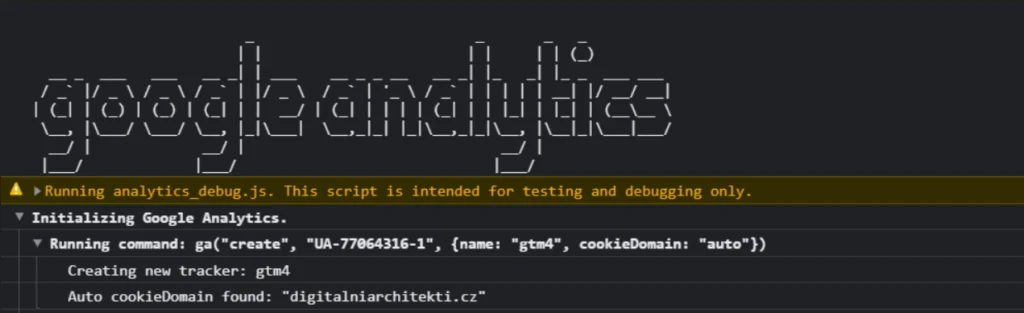
Google analytics debugger
Once you switch this extension on, you get error messages and warnings concerning the Google Analytics setup on your website – simply through the developer menu in the console tab.
-> View in the Chrome Web Store
GTM/GA debug
GTM/GA debug is another debugger for Google Tag Manager, Google Analytics and Google Analytics 4, again found in the developer tools, in its own tab.
-> View in the Chrome Web Store
GTM copy paste
A simple tool for copying tags, triggers and variables from one GTM container to another.
-> View in the Chrome Web Store
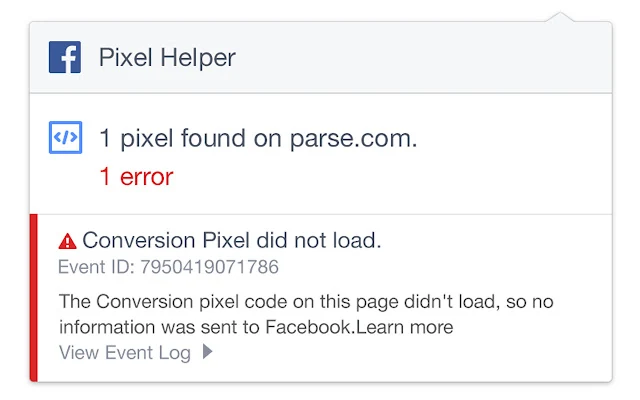
Facebook Pixel Helper
Find out with one click not only which information is being sent to the FB pixel, but also what exactly is being sent.
-> View in the Chrome Web Store
Extensions in Chrome help us increase efficiency in our daily work and also reduce the risk of overlooking important tags or parts of the code. Will you share with us other extensions that make life easier for you? Write to us and we will add them to the article.