

Do you remember the time when you simply wanted to connect data from your e-shop, Google Ads campaigns and CRM, and instead ended up with dozens of Excel spreadsheets, three different passwords and the feeling that learning quantum physics would be easier? This is exactly the problem solved by Keboola – a platform that gathers data in one place, sorts it, cleans it and prepares it nicely for further use. Read on to find out how to work with Keboola.
Summary for Those Who Don’t Have Time to Read the Whole Article
- Keboola is above all a data integrator that connects different systems in one place and lets you transform and export data.
- It offers more than 400 ready-made connectors to various data sources, from Google Analytics and Facebook Ads to databases and internal systems.
- It runs on Snowflake data storage with a high level of security and the ability to scale as needed.
- It lets you automate data processes. You can set tasks to run on their own in a given order and at a given time.
What Is Keboola?
Keboola is a cloud platform for working with data from different sources. Simply put, it is a tool that can connect to practically any system or database, pull data out of it, adjust it to your needs and send it on to wherever you need it.
How Does Keboola Actually Work?
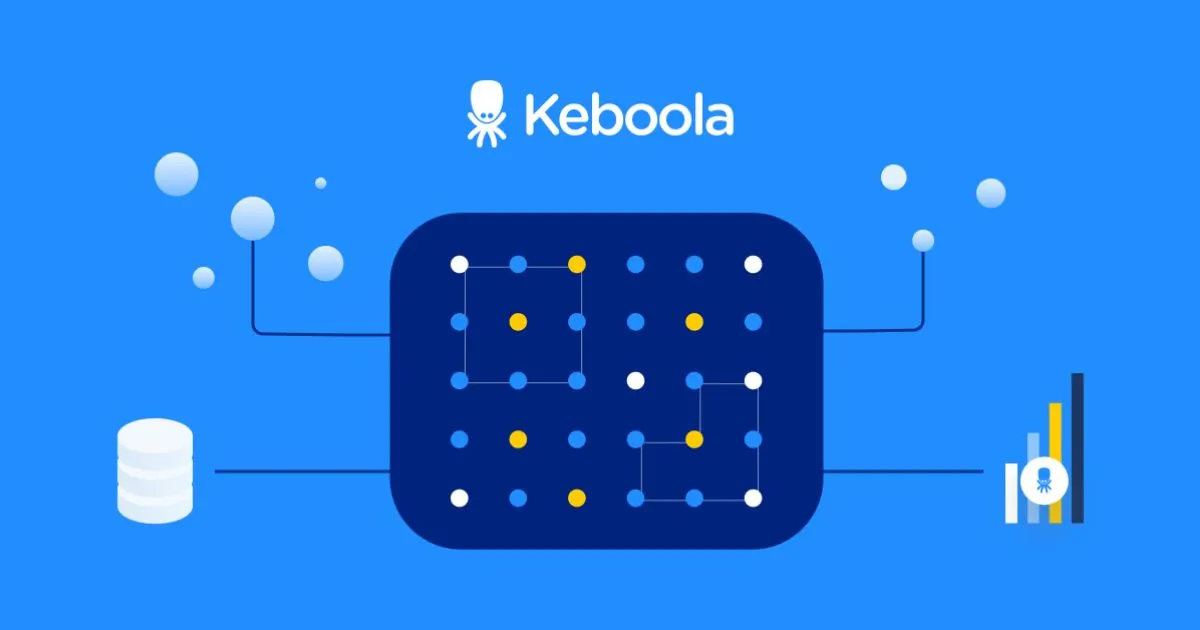
Keboola works simply: it integrates data from different places, adjusts it to your needs and sends it where you want it.
In practice, this means you can take data from Google Analytics, combine it with data from your e-shop, calculate, for example, the average order value by city and send the result to Power BI or Google Sheets. You can then set up the whole process to repeat automatically every day or every week.
TIP: Data Connection from Marketing Systems and Databases
The ETL Process
At the core of Keboola is the ETL process (Extract, Transform, Load), a trio of basic steps:
1. Extract
Keboola uses extractors, special connectors for pulling data from all kinds of sources. Need data from Google Analytics? You’ve got it. Facebook Ads? No problem. Your own CRM or accounting system? Keboola can handle that too.
Example: Imagine you want to analyse the performance of your PPC campaigns across platforms. Keboola connects Google Ads, Sklik, Facebook Ads and other systems for you, pulls out the data you need and prepares it for further work.
2. Transform
In this phase, Keboola adjusts, cleans and combines data according to your needs. You can use SQL, Python or R to define these transformations.
For example, you can combine customer data with their orders, calculate the average order value by region, or identify the most profitable product categories.
3. Load
The last part of the process is delivering the processed data to where you need it. Whether it is a visualisation tool such as Power BI, GoodData or Tableau, a database, or simply Google Sheets for simpler reports.
Data specialist Jiří Šantora aptly notes: “We usually use the term data warehouse for exactly these data storage spaces. Typical cloud representatives are, for example, Snowflake, Amazon Web Services (AWS) or Google BigQuery.” And these are exactly the technologies Keboola works great with.
You might also be interested in: Conversion Rate Optimisation (CRO): How to Start in 4 Steps
Automating Data Processes
Imagine you had to manually run dozens of different processes every day in the right order, wait for one to finish and then start the next. It would be a nightmare, wouldn’t it? Fortunately, Keboola has a built-in “conductor” called the Orchestrator.
This is where one of the biggest advantages of the tool shows. Experienced programmers can often write various scripts for downloading or adjusting data on a local computer, but turning a prototype into a production solution, ideally in the cloud, is often a problem. Keboola handles this transition from prototype to production elegantly.
The Orchestrator in Keboola lets you schedule and automate entire sequences of tasks. Simply put, orchestration means that you set the order in which things should be done, and then they happen on their own.
For example, every morning at 6:00 it automatically:
- Downloads new data from your e-shop.
- Adds information from Google Analytics.
- Updates the reports in Power BI.
- Sends management an email with a daily overview.
And if something goes wrong? The Orchestrator alerts you and tells you exactly where the problem occurred.
Real-World Use of Keboola
Keboola is not just a theoretical concept. It is a robust platform that real companies use to solve real problems.
Keboola Is Used by Rohlík and Makro
When you look under the hood of successful Czech companies, you will often find Keboola as their data ally. Rohlík is one of the best-known users of the platform, and it makes perfect sense.
When you run an online supermarket, you need to know exactly at every moment what is happening in the warehouse, how orders are moving and how efficient your delivery routes are. Data from different systems has to work like a well-oiled machine, and that is exactly where Keboola excels.
Besides Rohlík, other major companies such as Makro, Baťa, Sklizeno and Heureka have also entrusted their data to Keboola. Interestingly, half of all its Czech contracts came from recommendations, which is probably the best advertising a technology company could wish for.
In 2019, Keboola decided to conquer the American market as well and opened an office in Chicago. After six months of testing, it managed to win interesting clients, including Chicago’s largest university and the restaurant chain ROTI. The Czech data tool is thus successfully expanding overseas too, where, according to Keboola itself, it offers a solution with no direct competition.
Among our clients, Keboola or some of its parts are used by Ochutnej Ořech, Super zoo and Saint-Gobain. So in our case, too, the range of industries is diverse.
TIP: 6 Tips for Working Effectively with Data in Your Company and Not Being Afraid of It
Practical Tips for Beginners
If Keboola has caught your interest and you want to try it, here are some practical tips on how to start:
- Start with a simple project – Don’t throw yourself straight into a complex integration of all company systems. Pick one specific problem, such as consolidating marketing data, and tackle it as a pilot project. Keboola is best learned by practical trial on real data.
- Use the ready-made components – Keboola offers hundreds of ready-made connectors. Before you start writing your own, check whether a ready-made solution already exists.
- Don’t be afraid to ask for help – The community around Keboola is active and helpful. Keboola itself also offers good documentation and support.
- Invest time in understanding transformations – Transformations are where the real power of Keboola lies. Basic SQL knowledge will let you get much more out of the platform. Data can be transformed with SQL, Python or R and then exported further as needed.
- Set up process automation – All operations can be automated. You can decide what is done, in what order and how often. Instead of manually running different processes every day, you set them up once and then they run on their own.
Creating Your First Data Project
Creating your first project in Keboola is surprisingly simple:
- Sign up and create a project – Start at Keboola.com, where you can create a trial account.
- Import data – Connect your first data source using an extractor. Keboola guides you through the whole process step by step.
- A simple transformation – Create your first transformation that adjusts the data to your needs. Start with something simple, such as joining two tables or calculating new metrics.
- Export the results – Set where you want to send the resulting data. It can be a visualisation tool, a database or just Google Sheets.
- Automation – Finally, set up orchestration so that the whole process repeats automatically according to your needs.
And voilà! You have your first working data pipeline in Keboola.
Advanced Features and Options
Once you settle into Keboola, you may want to try some of its more advanced features:
Keboola MCP and Natural Language Communication
One of the most interesting new features in Keboola is the Model Context Protocol (MCP) Server. It is a “bridge” between Keboola and AI tools such as Claude, ChatGPT or Cursor.
What does that mean in practice? You can literally say (or write): “Create a pipeline that combines CRM data with orders, calculates customer LTV and exports it to BigQuery.” And Keboola translates it for you into the necessary technical commands and settings.
It is like having your own data assistant that understands human language but can also communicate with machines. For non-technical users, this means they can use Keboola to the full without having to learn complex syntax or programming.
Working with AI and Machine Learning
Keboola is becoming part of the AI revolution. Keboola lets you:
- pull data from company databases and prepare it so that AI tools can work with it,
- connect AI chatbots (such as ChatGPT) with company data,
- generate personalised content based on data from your CRM or other systems.
Imagine a chatbot that can answer junior employees’ questions based on your internal documentation, or a system that automatically generates personalised emails for each customer based on their purchase history. All of this is possible with Keboola.

You might also be interested in: 7 Trends in Data Analytics for 2025
Is Keboola Right for Your Company?
Keboola is not for everyone. How can you tell whether it could benefit you?
Keboola makes sense when:
- You work with data from several different sources that you need to connect somehow.
- You spend a lot of time manually copying data or combining Excel spreadsheets.
- You need to update reports or dashboards regularly.
- You want one place for all your data and its processing.
- You need to create a sustainable process that does not depend on specific people.
Keboola may not be necessary when:
- You work with only one data source.
- Your data needs are very simple and do not change.
- You have no need to transform or adjust data.
- You are a very small company with minimal data needs.
As for price, Keboola works on the basis of monthly fees that depend on the size of the company and the scope of use. According to available information, for most companies they range from thousands to tens of thousands of dollars. For larger data volumes, a fixed payment for an annual licence can be agreed.
Need Help with Implementation?
If Keboola has caught your interest but you are not sure how to start, or you need help with implementation, don’t hesitate to contact us. Our experts have extensive experience with Keboola and will be happy to help you create a solution tailored to your needs.
Frequently Asked Questions
Do I need technical knowledge to work with Keboola?
Not necessarily. For everyday use, a basic idea of what you want to do with the data is quite enough. Keboola is very intuitive and guides you step by step. But if you want to make more complex adjustments or connections, it helps to know the basics of SQL or Python. And if you don’t want to get into coding at all, a new feature lets you enter tasks in plain language.
Which data sources does Keboola support?
Keboola has more than 400 connectors. You can connect everything from Google Analytics and Facebook Ads to Salesforce or internal databases. If something is missing, you can create your own connector.
Is Keboola safe for company data?
Yes. It runs on Snowflake’s secure infrastructure and uses encryption, two-factor authentication and regular audits. It also meets demanding standards such as GDPR.
How quickly can we deploy Keboola?
Simpler projects (e.g. marketing reporting) can be done in a few days. More complex deployments can take weeks to months. The advantage is that you can start with a small project and expand Keboola gradually.